Williamsport Media Developer To Main Page Send E-Mail
Be Creative With Technology

Philadelphia Trip - Sunday

July 13th, 2008

Since I stayed overnight in Philadelphia, I decided to do some sightseeing on Sunday. It is too much of a hassle to drive to Philadelphia for me to waste the opportunity to see the historical sites. I got up very early at around 6:00 PM and headed out with my camcorder and guide book, “The Philadelphia Inquirer’s Walking Tours of Historic Philadelphia“. This book was not very helpful for finding things because the maps aren’t very detailed but since I read the entire book before making the trip, I was able to spot many historical sites that I may have walked by without stopping. It also provided all the necessary historical context required to appreciate the sites.  By the way, this book was on display at the Liberty Bell Center gift shop.

I will be posting a lot of video on YouTube and may embed some video here later. For now I will just mention some of the historical sites I managed to find.

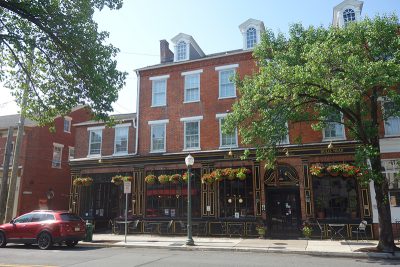
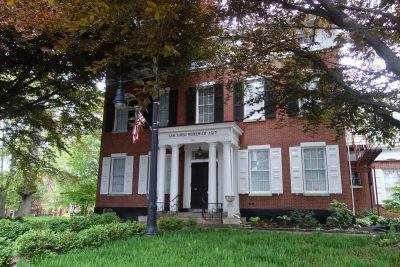
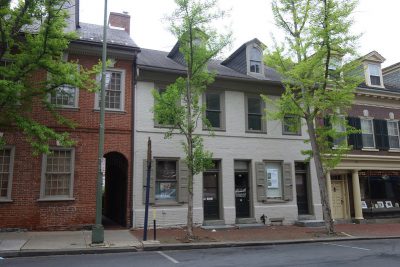
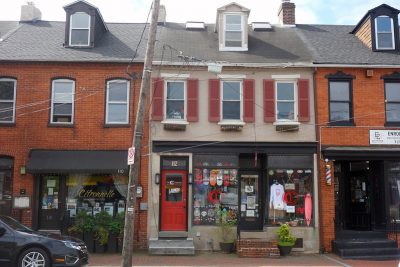
First I came across the Betsy Ross House on Arch Street because it was very close to my hotel. Then I found  Elfreth’s Alley which is a quaint street of colonial hours. I shot a lot of video along this alley, holding my camera up as I walked even though it killed my arm. Then I proceeded to Race Street and filmed the Race Street Cafe which I remembered on a previous visit. Unfortunately, they tore down a building across the street from this where I bought my tickets for the Philly Fringe Festival. I also found the art deco building on North Second Street. This building seems to be something of a mystery because I cannot find any information on it online. It has big display windows and a large sign on the front “National”.

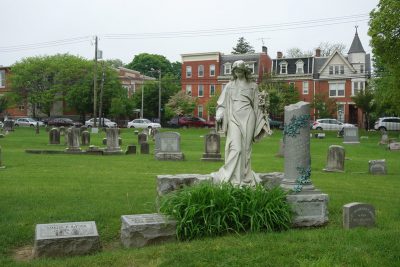
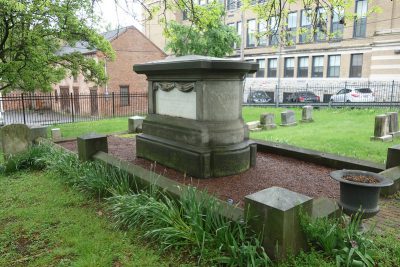
I managed to locate and video the following historical sites;  Thomas Jefferson Statue in front of Independence Hall, statue of Commodore John Barry in the State House Yard behind Independence Hall, Second Bank of the United States, Library Hall, Philosophical Hall, Congress Hall, First Bank of the United States, Carpenter’s Hall, Old Pine Street Church and its cemetery, Physick House, and various colonial houses and buildings. I also found the Signer Statue in Signer’s Garden which does not appear to be mentioned in my guide book.

I had to keep putting my guide book down on the sidewalk to operate my camcorder. I filled one 60 minute MiniDV tape and around 20 minutes of a second tape. I must have been walking around and filming for 2 hours so eventually I got very tired and very hot. Walking on all those brick sidewalks and even cobblestones will kill your feet. Fortunately there weren’t many people around that early in the morning on a Sunday so I did not have many pedestrians to obstruct my view. There was some sort of bike race going on so I saw a lot of people on ten speed bikes which you’ll see in my videos.

I was planning on leaving in the afternoon but since I got up so early and had my fill of historical sites I decided to leave early. I lucked out when I left the parking garage because there was a ticket stuck in the electronic booth and the gate raised when I pushed it in. Unfortunately I had several problems getting out of the city. I wound up crossing a bridge into New Jersey and had to pay $3.00 to cross the Ben Franklin Bridge to get back to Philadelphia. At least I got to drive across the Ben Franklin Bridge! After some careful driving I managed to get on Interstate 76 West but then accidentally got on the wrong exit. That caused me to go far out of my way until I got impatient and managed to make an illegal u-turn. I almost caused an accident merging back towards Interstate 76. After that I drove even more carefully and followed my Google Maps driving directions to the letter. It is always a nightmare to get out of Philadelphia on Interstate 76 without getting on a wrong exit. I remember this happening to me before. I don’t know if I’ll be visiting Philadelphia again any time soon. This trip just reminded me of how awful it is to drive around that city.

kick it on DotNetKicks.com

YoTube - Philadelphia Gathering - Saturday

July 13th, 2008

I will describe my recent trip to Philadelphia for a YouTube gathering in depth because there are various travel related details I want to remember for future trips. I’ve been to Philadelphia twice before; once for the Philly Fringe Festival and once to visit the Philadelphia Museum of Art. I drove to Philadelphia going East on Route 80 and then South on Interstate 476 which is a Pennsylvania Turnpike. The only interesting part of the road trip was the Lehigh Tunnel which cuts through Blue Mountain.

Once I reached Philadelphia, I didn’t make the correct exit in Central Philadelphia so I would up driving far to the South and had to make my way back downtown through a lot of narrow one way streets. That is why I hate driving around Philadelphia! It is easy to miss an exit and then you have to drive pretty far to get back on track. All those one way streets make it difficult to keep going in the direction in which you want to go.

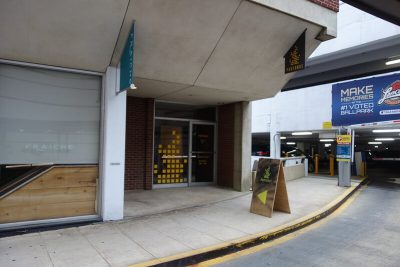
Eventually I made it to my hotel on Arch Street. I stayed at the Holiday Inn which is conveniently located in the Historic District. I had to circle around the block several times before figuring out how to enter the parking garage. This is the kind of detail I want to record for future trips. To enter the 6 story, above ground enclosed garage, you drive up to the hotel entrance off Market Street, the entrance with all the flags and the revolving door, and then to the parking garage entrance on the left. When you take a ticket at the electronic booth, the gate will go up. I parked on the second deck. I could not check in until 4:00 PM so I took my video camera for some sight seeing.

The gathering was at the Independence Visitor Center which was a short walk from my hotel. I showed up at 10:00 AM which was two hours too early so I shot some video of the National Constitution Center across Arch Street and Independence Hall in the distance. I also shot some video of the Free Quaker Meeting House, a small building in a corner of Independence Mall.  Then I walked past the Independence Visitor Center and past the Liberty Bell Center to film some close ups of Independence Hall. I got some footage of a horse and carriage driving by.

Then I crossed 5th Street and entered The Bourse, a small shopping mall.  The Bourse features many gift shops for tourists filled with mementoes of Philadelphia. I bought some antiperspirant because I forgot to bring some and then I bought a Declaration of Independence scroll and a book Philadelphia In Photographs by Edward Arthur Mauger. According to my sales receipt the store was called “Making History” and my total was $22.47.

Philadelphia in Photographs: Ed Mauger: Books

ISBN: 0517228742
ISBN-13: 9780517228746

After spending a few tourist dollars I went back to my hotel and put the bag in my car. The parking garage has a stairwell and an elevator. Then I went back to the Independence Mall to wander around some more. I bought a sprite at a small cafe off to the right of the mall, overlooking Christ Church Burial Ground. Most of the gathering took place in front of this cafe where there were plenty of benches and tables and a few tree to provide shade. The trees were much too small for any shade though.

Then I entered the Liberty Bell Center and got in line to see the Liberty Bell. Unfortunately the line was pretty long and it was almost 11:00 AM by that time so I sent to the gift shop instead. I bought a small bronze bust of Ben Franklin and a small biography of Benjamin Franklin by Edmund S. Morgan. I then walked back to my hotel and put that bag into my car.

Benjamin Franklin (Yale Nota Bene): Edmund S. Morgan: Books

ISBN: 0300101627
ISBN-13: 9780300101621

Back at Independence Mall I kept my eyes peeled for anyone with a video camera or camcorder but there were plenty of tourists milling about with cameras. Eventually AnthroVlog came up to me and asked if I was there for the gathering. (Later on, I learned that she was making a documentary. She interviewed several people and had them sign release forms). We searched the area until Noon looking for anyone else. Finally we sat down at the Free Quaker Meeting House where she assembled her video camera. Then I found one more woman looking for the YouTube gathering. So for awhile there was only three of us and we were worried that Independence Mall was the wrong place. What was going through my mind was the thought that some people met early on Friday and may have decided on a change of plans.

At about 12:30 PM, one of our scouting party found a large group of YouTubers under the pavilion. I think Jill, xgogobeanx, was the only user I recognized in that group. We wandered over to the cafe where the rest of the YouTubers eventually trickled in. I would estimate that between 100 and 150 people attended this event so it was not a large gathering considering how many subscribers someone like Nalts has or how many people use YouTube.

At about 1:00 PM Pipistrello showed up with a group of people. I’m pretty sure BigFatLamp (Nic) was with him. OHdulcenea! was there with her husband. She looked vaguely familiar to me but I did not recognize her from the NutCheese chat room until someone addressed her by her username. Some other familiar vloggers I met include; LittlePandaExpress, PrincessDiana and her husband Frankie and her daughter, Charles Trippy, OlgaKay, SneakyPreacher (seemed to feel very awkward being there), VioletKitty411, KatiesOpinion with ZanyBear, FantasticBabblings, and funkwurm who came all the way from Holland.  TheMightyThor did not show up until later and Nalts arrived last. Nalts soon had a crowd of people surrounding him. He was the most popular YouTube vlogger there. Unfortunately NutCheese and Reynaldo could not make it because Rey had an infection and was in the hospital. This was a real shame because a lot of their crowd was there.

Chris Barrett set up a professional video camera on a tripod and filmed people against the backdrop of Independence Hall in the distance for a documentary. Someone was playing guitar with TheLilRedheadedGirl. I thought a few people were a little rude in interrupting me while I was filming, as if you would not expect anyone to film the gathering. That was mildly annoying. Nobody said anything to me when I videotaped a lot of the historical sites.

It was very hot and a few people commented on the fact that I was dressed all in black except for a skinny white tie. I just thought that looked better than a t-shirt. Eventually the gathering moved to The Bourse which had air-conditioning. I had a slurpy and sat with gang on the lower level until 4:30 PM when I had to leave to check into my room.

I was asked for my credit card which surprised me because I made reservations online and prepaid. They better not charge me twice for a room. I brought my bags up to my room and changed into a t-shirt and freshened up. At 5:00 PM I went back to The Bourse but almost everyone had gone so I went back to my hotel. I decided to leave immediately for the after party at Dave and Buster’s because I figured I might have trouble finding the place. It cost me $28.00 to leave the parking garage. Fortunately, I did not have any problems finding Dave and Buster’s which is located at 325 North Columbus Blvd. It is slightly difficult to get there because you must find a street that leads virtually into the Delaware River and under Route 95. Race Street allowed me to head in that direction, although I got stuck behind a horse and carriage that was traveling about a mile per hour.

Dave and Buster’s has its own parking garage. It cost me $8.00 to park there although I got a ticket worth $4.00 off a meal or drinks. I had trouble finding a place to park in the garage because it seemed pretty full. Parking is very expensive in Philadelphia. It really isn’t a good city to visit by car. Dave and Buster is a large dining complex with pool tables, a large bar, multiple seating areas, and an extensive game room. I walked through the place looking for my friends. The game room was very noisy and seemed to have everything including a western showgirls shooting gallery. LOL. I did not see anyone I recognized but I was early so I waited in the lobby. Eventually I met the same documentarian who was early  for the gathering so we wandered around inside until Pipistrello arrived with 5 other people.

We were seated at a table and ordered drinks. I had a vanilla milkshake because I’d been too hot all day and was driving so I didn’t want any alcohol. Unfortunately, they could not take any food orders because their computer was down. This eventually became quite a problem as more YouTubers arrived. They could not be seated. It took over an hour for our food to arrive. I had a Philly Cheesestake! It didn’t seem like anything special. Maybe the bun was a little bit better than usual. Otherwise it is just ground beef glued together with cheese. Meh! Since nobody else could be seated they decided to head over to South Street. This did not make much sense to me because South Street is like the Greenwich Village of Philadelphia, a lot of small boutiques and little restaurants along a street that stretches for several blocks. It was not like a specific place to move an after party to. After my meal I decided to head back to my hotel room rather than try to find people along the entire stretch of South Street.

I noticed that it was getting dark and the bright lights of the city looked attractive. I decided it would be a shame to miss this opportunity. So I took my camcorder and walked up Arch Street. I got some great footage of Philadelphia skyscrapers all light up, the ChinaTown Friendship Gate, and close ups of City Hall including the huge sculpture of William Penn at its top in spotlights. For some reason, there were a lot of police and security on Arch Street that night. There must have been 15 or more police vehicles lined up and even more police on bicycles. They made me kind of nervous.

When I got back to my hotel room I got out my Mac iBook G4 and managed to connect to the Internet. I logged into NutCheese’s Stickam room and told the few people there that I was at the gathering in Philadelphia. NutCheese and Rey did not seem very interested in that bit of news. Maybe they were disappointed and didn’t want to hear about it. I’m used to people ignoring me so I didn’t say much.
kick it on DotNetKicks.com

Making Progress Learning Flash

July 7th, 2008

I made excellent progress in learning Flash over the July 4th weekend. I added ten pages to my notes on Flash and ActionScript. I used to know a little about Flash back when I worked for Kolb Net Works but I only had four pages of notes from back then. We had professional web designers who did most of the Flash work so I only did a little ActionScript.

I’m currently reading “Macromedia Flash MX ActionScript For Dummies” by Doug Sahlin but I’ve ordered three more current books.

Last night I finally learned how to import video into Flash, a topic not covered in my books, and saw the various video skins you can choose from. I positioned a transparent PNG file over the video as a logo. The advantage in doing it that way is you can swap out the video and still have the logo appear over the video without editing the actual video footage.

One thing that always gave me problems with Flash was trying to edit a movie clip. Sometimes I would edit the symbol instead because it is hard to tell exactly what you are editing. I think I’m getting the hang of that now. The layers and frames in the timeline is also starting to make more sense to me. My ActionScript book does not really cover the design aspects of the program but I’m still picking up enough information on that.

I can use Flash in my Notes help collection. Since my SWF files are fairly small right now I can include actual examples of working movies in my notes. I’ve always had a few simple Flash movies in my notes like a typography Flash file that highlights part of the font as you move your mouse over font terminology.

kick it on DotNetKicks.com

Walking Tours Of Philadelphia

July 6th, 2008

I have finally finished reading the book I bought on tourist attractions in Philadelphia. I read this book to be prepared for my weekend vacation in Philadelphia. I will be spending Saturday and Sunday in Philadelphia in order to attend a huge YouTube gathering. So I won’t get any work done this weekend.

The YouTube gathering will probably be the largest event since the historic 777 gathering which I missed. I’m going to meet a lot of my online friends and major YouTube vloggers like; Nalts, battim, NutCheese, Reynaldo, Tom Guarriello, Pipistrello, VioletKitty411, Jill (aka xgogobeanx) and Michael Buckley. There may be a representative from YouTube there to give out coveted YouTube t-shirts and local media to record the event.

I’ve booked a hotel room for Saturday night. If there is nothing going on Sunday I’ll probably walk around the historic district and shoot some video. The book has given me all the information I need about tourist attractions within walking distance of Independence Park. I plan to visit The Bourse and maybe the National Constitution Center.

kick it on DotNetKicks.com

Adding Closed Captions To Video

June 30th, 2008

Yesterday I learned how to add closed captioning to online videos. This would only be useful if you hosted a video yourself because most video sharing sites don’t support closed captions. To add closed captions to Flash videos you just need to create a Timed Text XML file. Apparently you can’t just use any old file because it is based on the video keyframes. However I did find a Flash based tool for adding captions known as Subtitle Horse. The XML file is created by a PHP script so you also need a web server capable of running PHP. Fortunately PHP programming is one of the tech skills I am mastering.

I also came across some really cool technology which is undoubtedly the future of video. On the http://www.immersivemedia.com/ web site you can try out 360° video. It is sort of like Google Street Views only with video instead of photos. You can look in any direction and see video running in a 360° panoramic view. It is just like being there! Now that I’ve seen the concept demonstrated I’m sure this is how video is going to be in our high tech future. It may spell the doom of television sets because 360° video definitely requires a computer to process the 360° panoramic view. It will also require faster computers because my system could barely handle the processing involved in following my movements.

Today I created an ASP.NET page to automate the Microsoft Source Code Analyzer for SQL Injection command line tool. You can read more about that on my ASP.NET Weblog article.

kick it on DotNetKicks.com

Animated GIFs And ActionScript

June 29th, 2008

Last night I spent a lot more time on research and skill building! LOL. I picked up a tip that you can stop an animated GIF from animating in the browser by pressing the ESC key. So in order to document that I decided to create a new help topic on every one of my graphics programs support for animated GIFs. Do you see how I manage to inflate everything into a task that takes hours of my time?

Actually I found a lot of interesting ways to create animated GIFs. After Effects can render a movie as an animated GIF using dither, a web safe palette, or a system palette. I tried each option and documented the results with screen captures after stopping the animation with the ESC key. The dithered animated GIF created the largest file.

Next I used ImageReady CS2 to create an animated GIF. I copied some stuff directly from the Adobe Help System into my notes which is probably a waste of time. But I did learn that ImageReady has an option to export an animation as a Macromedia Flash file (i.e. SWF). I rarely use that program and needed to document some basic instructions on how to create an animation. That may save me some time later and I’ll know to use ImageReady instead of Photoshop if I’m doing something for animation.

Then I exported a Flash movie as an animated GIF. This is probably a better option than publishing a SWF which will require the Flash Player plug-in. If your Flash movie is simple text animation then it will look fine as an animated GIF. It would be far easier to deploy an animated GIF than a Flash file. You can use shape tweening to make some fancy animated GIFs that would be too difficult to produce otherwise.

I also made some progress in studying Flash. I found a list of all the Flash keyboard shortcuts on the Internet so I added that to my notes. Now I don’t need to write down every keyboard shortcut I find mentioned in my books on Flash. I also copied the Flash help system’s images to my notes project so I won’t need to hunt down images for my notes. I waste enough time on managing screen captures. I took some notes on the debugger in Flash which might impress Visual Studio users and I documented some Flash Video Encoder information because I am especially interested in Flash video. The main reason I’m learning Flash instead of Silverlight is that Flash is used extensively for video on the Internet. YouTube uses Flash to play its videos and Stickam uses Flash for its webcam chat. Most of my books on Flash only cover ActionScript because as a programmer that was my focus but now I realize that I could use a book on Flash basics as well.

kick it on DotNetKicks.com

Technology Skill Building

June 28th, 2008

Yesterday I read an article that contained a perfect description of the work habit concern I’ve been trying to express:

“You could potentially get caught up in research and skill building rather than doing or seeking paid work.”

That is a major problem for me. I spend far more time on research and skill building than I do on paid work. For example, last night instead of working on my client projects I spent hours on stuff that I don’t really need to be doing. First I figured out how to generate JSON from a database using classic ASP and a script I found on the Internet. While that is potentially useful it does not apply to anything I’m working on now. I only worked on that to document the ASP script and add it to my notes. Then I wasted even more time figuring out how to customize the default help page generated for an ASP.NET 2.0 web service. I’ll probably blog about that later on my ASP.NET Weblog at  http://weblogs.asp.net/rrobbins/. You usually won’t expose the web service help page to the public so there is little need to customize its look. However, it may make for a nice article on the ASP.NET Weblog site which is a good way to get your mad skills noticed by the brightest people in the ASP.NET job market.

Today I used the ASP.NET validator controls in a project only to discover that they only work in Internet Explorer! I tested my form validation in Firefox 3, Opera 9.5, Safari 3.1.2, and Firefox 2. It did not work in any of those browsers. This is another example of Microsoft  ignoring web standards in favor of their own platform. I did find an old article explaining Client-Side Validation in Downlevel Browsers which expressed the hope that this would be taken care of with ASP.NET 2.0  but apparently not. I have not checked validation improvements in ASP.NET 3.5 yet.

kick it on DotNetKicks.com

Download Progress Bar and Flash + After Effects

June 26th, 2008

Today I added a progress bar to my ASP.NET page for downloading YouTube videos. I’ll probably blog about this later at http://weblogs.asp.net/rrobbins/.  I moved the code that does the file download to a web service. It makes more sense to have a web service handle the file download instead of using an asynchronous task initiated by the page itself.  The WebClient object has a method for getting the file download progress as a percentage so I took advantage of that. Then I used a Script Manager to create the JavaScript proxy for the web service and wrote some JavaScript to call the web service methods. One of the web service methods gets the download progress and returns the percentage to the client while the other method is passed the url and file name of the file to download and returns a message indicating success or failure. The client page contains a progress bar which only needs to be supplied with the download progress percentage at regular intervals.

Last night I browsed through the Adobe Illustrator CS Wow! book and read a chapter on “Making Artwork for a Flash Animation“. This was the only chapter on using Illustrator in combination with Flash but it is exactly what I was looking for. Today I got the Amazon book I ordered on using Flash with After Effects, “Flash + After Effects” by Chris Jackson. I want to have all the After Effects books available because I’m putting a lot of effort into mastering that software but I managed to overlook this book. It was published in 2008 so maybe it just wasn’t available until recently. According to this book there is an amazing new set of Puppet tools introduced in After Effects CS3. The Puppet tools allow you to animate the joints of a character.

Flash + After Effects: Chris Jackson: Books

ISBN: 0240810317
ISBN-13: 9780240810317

kick it on DotNetKicks.com

Studying Vector Graphics Technology

June 25th, 2008

Today I received the Adobe Illustrator CS Wow! book I ordered. I really like the Wow books because they demonstrate the real creative possibilities of graphics software instead of just serving as technical how to books.

Last night I reacquainted myself with Flash 8. Most of my books are on Flash MX though.  I worked through creating a simple button that can be clicked to show today’s date in ActionScript. I also found a way to apply syntax highlighting to ActionScript using my favorite Free syntax highlighter written in Java Script. I had to find an additional JavaScript file for this language and add a few keywords.

I’m also investigating the Flash 8 Video Encoder which can be used to convert videos in various formats into FLV files. It does a good job of compressing the video.

kick it on DotNetKicks.com

Getting Into Flash Animation And Flash Video

June 23rd, 2008

I’ve been focusing more on creative work as I’ve been planning to. I gathered together my books on Flash and ActionScript which I will finally get around to reading. I’m interested in Flash now because it can be used for animation. Tonight I ordered a book on using Flash with After Effects. Over the weekend I added to my notes on Illustrator. Vector graphics are often used for cartoon animation. Flash may not be so difficult for me to learn now that I am familiar with vector graphics in Illustrator and timelines in After Effects. Virtually every video site is using the Flash Player to deliver videos so it is about time that I explored it in depth.

But I’m still doing some technical research. Recently I learned how to use PHP to create a HTML table that will open as an Excel spreadsheet in the browser. I also learned a lot more about parsing XML files using PHP.  This was for a PHP version of my YouTube data backup script. I even did a little of the work on my iBook G4 which can run PHP scripts.

Today I did some research on scripting Fiddler. Automating Fiddler interests me because I want to figure out how to download Flash video files from various web sites and Fiddler can reveal the web address that the SWF files are calling. Scripting Fiddler is extremely difficult and counter-intuitive so it took me hours just to figure out some basic procedures. Automating a video download using Fiddler seems promising but I may need to jump through many hoops. For example, it can dump a session with everything the browser downloaded and all the requests it made but this is compressed into a ZIP file so I’d have to unzip that. It would also be a challenge to run Fiddler without opening its window or a browser window.

kick it on DotNetKicks.com

New Book On How To Become A YouTube Star

June 14th, 2008

There is a new book available on YouTube. Unlike previous books, the author seems to have been heavily involved in the community and therefore knows more about the social networking aspects of the web site. 

I had this book on one of my wish lists but I did not realize that the book had finally been published until I real about it on Kevin Nalt’s blog. The book features an interview with Nalts and many other YouTube vloggers and celebrities that I am familiar with.

As you may have gathered from my previous blog entry, I am feeling very discouraged about online marketing and self-promotion. I put a lot of effort into my YouComment web application but YouTube is now including the text of the comment in their email notification so there is less need for a tool to quickly find your comments on a video. It is not just me. I see many people putting a lot of effort into online promotion without accomplishing anything because the sheer immensity of the Internet works against you.

Not that I view YouTube as a means to become famous. I don’t even appear on camera in my videos or on Stickam. Increasingly I just appreciate YouTube for its own sake. I regard the community as an extraordinary collection of weird personalities engaged in a form of dramatic improvisation. But it is not like being in a cast of characters or watching actors at their work. Rather it is like engaging in the actual world of the story. I think this is the ideal situation. For example, which would you rather do, appear on the show Seinfeld, be a member of the cast of Seinfeld, or have Kramer, Elaine, and George as your actual friends? As a fan of the show, I think you would agree that the best fantasy would be to live the story or participate in their world and share their minor adventures.

The desire for fame is a spiritual desire. It is the unconscious desire to give life a mythic quality such as dreams have. This is amply demonstrated in the ancient Greek religions in which  warriors and heroes like Achilles and Hercules would become mythic figures and eventually be worshiped as gods. Fame elevates the individual into the timeless realm of mythology. Carl Jung and Joseph Campbell explored the world of the unconscious and discovered its strong yearning for a mythical life although exactly why this is so is a mystery. I am very impressed by the theory that dreams are a form of private mythology. There is a lot of evidence for this. I can remember many dreams featuring mythological monsters, strange quests into underground worlds, etc.

kick it on DotNetKicks.com

Redefining My Focus

June 12th, 2008

I’ve decided that I’ve been wasting too much time on stuff that serves no purpose or provides no benefits to me. I keep trying out new technology and add pages to my notes but most of it is just idle work. For example, I recently spent hours copying some information on JavaScript optimization from a book to create a web page on that topic for my notes. While this is not entirely useless it was not a good use of my time.

My New Years Resolution was to spend more time on billable client work and creative work. Unfortunately I have not kept to that plan. Instead, I have read several books on ASP.NET and documented enough obscure features to fill 60 web pages. I’ve also been messing around with many Web 2.0 APIs. None of that pertains to my projects and it has failed to attract any interest when I blog about it.

In order to become more tightly focused on my goals, I am shelving several books that I was planning to study in too much detail. I’m also going to stop reading blogs that are devoted to programming and start reading blogs that have more to do with web design and creative work.

I also need to spend more time on projects for my clients. This is a difficult goal because a project frequently gets bogged down on some technical difficulty that makes me want to avoid working on it. I think I need to find some small task to tackle each day to keep things moving along.

I spend some time on online marketing and self-promotion but I don’t think this is worth the effort. Writing for my blogs and trying to keep up with the latest silicon valley buzz isn’t proving to be very effective in creating my "online presence". There really is no need for me to concern myself with marketing because I’m not looking for more clients. This is just a state of mind that I’ve adopted due to the bad influence of the attention whores who keep me entertained. Instead of getting wrapped up in their silly games I should focus on the real benefits of social networking. For example, I would prefer to make contacts with creative people and professionals in certain industries rather than get involved with superficial individuals. I won’t elaborate on that.

Just to keep myself on track, I’ll provide an example of how I want to narrow my focus. I’ve read a lot about unit tests and source control so I feel some responsibility to learn more about NUnit and Subversion. However that would really consume a lot of my time and I judge it to be too programmer centric. I would rather expand my knowledge of Photoshop.

kick it on DotNetKicks.com

iBook Video Production

June 2nd, 2008

I finally got my iBook to work with my wireless network. I have a Buffalo AirStation WHR-HP-G54 wireless access point and my PCs connect automatically without any configuration so I did not learn anything about manual settings. I had to change the 802.11g Encryption Type to TKIP and then enter a huge hex string as the password for the Network Setup Assistant before I could use my iBook wirelessly.

Last night I imported some video from my Panasonic PVGS120 MiniDV Camcorder into my iBook using the firewire cable. Then I made my first video using iMovie. I exported it as a MOV file and uploaded that directly to YouTube.

I plan to take my iBook to the YouTube gathering next month in Philadelphia. Then I can use it to enter the inevitable Stickam chat room. Or I could import my video, edit it, and upload a video to YouTube before anyone else does. But I’ll probably be too busy to do that because I will only be in Philadelphia for two days and I want to shoot a lot of video during that time.

kick it on DotNetKicks.com

Equipment Changes And Future Plans

May 27th, 2008

Today I got a little wireless mouse for my iBook. I prefer to use a mouse rather than the trackpad. The wireless mouse has a receiver that hooks up to the laptop through a USB port. I’m using my iBook right now for Stickam chat but I have not been using it for much else. I do have Photoshop and After Effects installed on it now. It does help me to be more productive to free my work computer from the burden of running Stickam.

I’m selling my old computer equipment on eBay. Today I mailed my old laptop and some sticks of memory. There are several watches on my vintage Mac system so I should be able to get rid of that too.

I’ve been busy doing client work so I have not done much research or development. I’ll probably be exploring the Seesmic API and experimenting with asynchronous web requests. I just finished reading Building A Web 2.0 Portal With ASP.NET 3.5 by Omar AL Zabir which has some interesting material on asynchronous web requests and many other clever tricks for scaling an ASP.NET web site. I’ve started to read Creating Motion Graphics with After Effects, Vol. 2: Advanced Techniques. The first chapter is on alpha channels. I found the material so technical that it gave me a headache just trying to follow the details. I really need to open the examples in After Effects and observe the behavior of alpha channels but that consumes a lot of my free time.

kick it on DotNetKicks.com

Apple iBook G4

May 23rd, 2008

I now have an Apple iBook G4 which I purchased with my economic stimulus money. It has a 1.33 GHz processor, 1.5 GB SDRAM, and a 60 GB hard drive. It is running OS X 10.4.9 Tiger. This is the first Mac I’ve owned which can run OS X. My vintage Macs were limited to OS 9.1.

I’ll be using this laptop for web development and multimedia work. I don’t plan to do any Mac development because that would be too time consuming.

There is quite a lot of free software available for the Mac. I’ve installed the Firefox browser with the web developer’s toolbar add-on and Firebug. I also installed Aptana Studio and Komodo Edit for working on JavaScript and other code. I downloaded MAMP (Macintosh, Apache, MySQL, and PHP) which installs everything a web developer needs to create dynamic web sites.

I’ve already managed to connect to my iBook through the Microsoft Windows Network and transfer files back and forth from my Windows XP workstation. However, I have been unable to get onto my wireless network. I have a Buffalo AirStation Wireless LAN Access Point and my Mac finds it but insists on a password and then won’t accept anything as the password. All of my Windows clients connect to the Buffalo AirStation without any configuration at all using the client software so I don’t know how to manually configure it.

I’m very impressed by the iBook which can play CDs and DVDs. It makes for a good mobile DVD player. The built-in speakers are terribly and can barely be heard when cranked up all the way but I can plug my headphones into it for better audio.

It came with iMovie and GarageBand which I’m eager to play with. I will also be running Photoshop, After Effects, and maybe Dreamweaver.

kick it on DotNetKicks.com

Upgrading Mac Assets

May 18th, 2008

I have two old Macs which I never use. I bought these Macs at a local computer auction so I could see how my web sites look on a Mac. However I have been unable to get online using a Mac since I switched to DSL and stopped using a dial-up modem. So my Macs are just taking up space. One of my Macs has a 21 inch monitor so it takes up a lot of space.

I’ve ordered an iBook Notebook so I’m going to get rid of the computer equipment that it will replace. In addition to the Macs, I’m selling a COMPAQ LTE 5280 Laptop which is pretty old. It runs Windows 95 and has a 120 MHz processor with 16 MB of RAM and a 1.3 GB hard drive. I never used that for anything except to transfer files to my Playstation Linux system. My new iBook will have a 1.33 GHz G4 processor, 1.5 GB of RAM, and a 30 GB hard drive. I’ll probably use it for Stickam because I like to have a Stickam chat window open while I am working in the evenings but it taxes my system too much for me to multitask.

Both of the Macs have dead computer clock batteries so I’ve ordered them from Other World Computing for $17.41. That may be more than I can expect my Macs to sell for on eBay, but I’ll need them if I cannot sell the Macs. However, I have a lot of other vintage Mac stuff to sweeten the pot like rare software and Mac books. The only thing I will not sell is the 21 inch monitor because it weights 100 lbs and it breaks my back to lift the thing. It would cost a lot of money to ship.

I also have one PC system to get rid of but it is unlikely to bring in much money because the processor is only 500 MHz. I should probably just cannibalize it for parts. It has a 5 1/4 inch drive bay fan and a hard drive tray that I could use in another system.

kick it on DotNetKicks.com

Google Blog Search Pinging REST Client

May 11th, 2008

My WordPress blog has not been showing up in the Google Blog Search so I decided to create a REST Client to ping it using their Google Blog Search Pinging Service API. I created that last week and ran it a few times to test it. Tonight I was pleased to find several of my blog posts showing up in the search results. I searched on the uncommon words “YouCloud” and “YouComment” and found my posts listed first.

I created my REST client using ASP.NET because that is my area of expertise. I could not find many examples of REST clients in ASP.NET but it is really just a matter of making a simple web request. Most developers would probably use PHP and CURL (Client URL Library Functions) which is very versatile in its ability to handle cookies, user agent strings, referrers, custom headers, and post fields. Hackers use CURL a lot because it can automate the process of sending web traffic. However ASP.NET is also capable of handling all aspects of making web requests and the Google Blog Search Pinging Service API is pretty simple. Below is my code for pinging the Google Blog Search:

   1: Imports System.Net
   2: Imports System.Xml
   3: Imports System.IO
   4: Imports System.Diagnostics
   5:  
   6: Partial Class GooglePinger
   7:     Inherits System.Web.UI.Page
   8:  
   9:     ' create XML document as a global object
  10:     Public objXmlDocument As XmlDocument = New XmlDocument()
  11:  
  12:     Protected Sub btnSubmit_Click(ByVal sender As Object, ByVal e As System.EventArgs) Handles btnSubmit.Click
  13:         ' Blog name
  14:         Dim strName = Server.HtmlEncode("Williamsport Web Developer Weblog")
  15:         ' Blog web address
  16:         Dim strUrl = Server.HtmlEncode("http://www.williamsportwebdeveloper.com/cgi/wp/index.php")
  17:         ' Blog RSS feed address
  18:         Dim strChangesURL = Server.HtmlEncode("http://williamsportwebdeveloper.com/cgi/wp/?feed=rss2")
  19:         ' REST Url
  20:         Dim strRESTUrl As String = "http://blogsearch.google.com/ping?name=" & strName & "&url=" & strUrl & "&changesURL=" & strChangesURL
  21:         Debug.WriteLine(strRESTUrl, "strRESTUrl")
  22:         Dim HttpSite As Uri = New Uri(strRESTUrl)
  23:         ' Send web request
  24:         Dim objWebRequest As HttpWebRequest = CType(WebRequest.Create(HttpSite), HttpWebRequest)
  25:         objWebRequest.KeepAlive = False
  26:         objWebRequest.Timeout = 30000
  27:  
  28:         Try
  29:             '  Get the response to the web request
  30:             Dim objWebResponse As WebResponse = objWebRequest.GetResponse()
  31:             ' Use a stream reader to read the response
  32:             Dim objStreamReader As StreamReader = New StreamReader(objWebResponse.GetResponseStream(), System.Text.Encoding.UTF8)
  33:             lblMessage.Text = objStreamReader.ReadToEnd()
  34:  
  35:         Catch ex As Exception
  36:             lblErrorMessage.Text = ex.ToString()
  37:         End Try
  38:  
  39:     End Sub
  40: End Class
kick it on DotNetKicks.com

YouComment - A Fancy Video Comment Reader

May 1st, 2008

I have added another page to my collection of “value added services” for YouTube users. This one is an improvement over the YouTube comment system. You can find it on my web site at: http://www.williamsportwebdeveloper.com/YouComment.aspx 

The comment system is an important part of YouTube’s social networking features which also include video responses, private messages, bulletins, and channel comments. A video which receives a lot of comments will appear on the most discussed list. However, there have been many complaints about the YouTube comment system. The biggest problem is that comments can disappear because YouTube replicates their database and it does not always remain in sync. They also have not done much with the comment system.

I prefer the LiveVideo comment system because it places a small thumbnail of the user profile image next to each comment. This makes it easier to identify the participants in the conversation. YouTube currently only shows the username of the person making the comment.

Since there are so many trolls and miscreants on YouTube, it is frequently necessary to check out a user’s profile when they leave a nasty comment. This can be pretty time consuming and gives them a channel view count they may not deserve. So I used the alt text and title tag attributes to show some user profile information which appears when you mouse over the user profile image (see screen shot below). Such tool tips are an easy way to supply more information without cluttering up the screen. Unfortunately many web sites don’t take advantage of tool tips and surfers may not know to look for them.

I wanted to make this tool visually appealing so I added a speech balloon around the comments. This is another graphic design element that you can find on many other web sites. This was accomplished using Cascading Style Sheet rules to apply background images to blockquote tags.

The programming for YouComment was quite difficult. First I had to figure out how to nest comments which are replies to previous comments. The logical way to do this was to use nested unordered lists. The YouTube API returns the comment data as XML so the nested unordered lists had to match the structure of nested XML nodes.  However, the YouTube API does not actually nest replies under their associated comments. There is merely an id number pointing to the previous comment. I had to re-organize the XML nodes to give them the structure that I required.

Looking up the user profile information for each comment was proving to be a time consuming operation and it was frequently redundant if the same user left multiple comments on the video. Therefore I created a hash table to store the unique user profile information and only made web requests when the user could not be found in the hash table. This has improved the web page’s performance but it still cannot handle a video with more than a hundred comments. After that you’ll find the browser acting flaky because it is using too much memory. I may need to add pagination to reduce the number of comments appearing at one time.

Most people view the comments on a video to see the replies to their comment. It can be difficult to find your comment in a page with hundreds of comments. Computer savvy users know how to use the  Ctrl + F shortcut to find text on a web page. I wanted a way to highlight your comments so I added the option to store your YouTube username in a cookie. The cookie can then be used to remember your username between visits and highlight your matching comments with a yellow background.

I’m very proud of this programming exercise and I plan to use it myself. I spend a lot of time reading comments that have been left on videos. Since I’ll be using this regularly, you can be sure that I will promptly fix any bugs and make improvements if it proves to be hard to use.

kick it on DotNetKicks.com

More Pageflakes and YouTube API Work

April 25th, 2008

I’ve been busy with the Pageflake developers API and the YouTube API. The Pageflakes documentation is not very good so I had to figure out how to display the loading bar without using their showProgress() method that I can’t get to work. Then I had to find a way to get the refresh button to work with JSON data feeds. I think that only works with RSS feeds by default. I also found a way to give myself some credit in the Settings and how to save a setting. I created a Pownce flake and a Stickam flake which I’m using on my Pageflakes pages.

I’m also doing more work with the YouTube API. I added a page to my web site where you can back up your Subscriptions information to Excel. Now I’m working on a web page that will provide a custom display of a YouTube video’s comments. This should be really useful. I plan to show the user’s profile thumbnail so you can more easily identify the vlogger who left the comment. That is a feature of the commenting system on LiveVideo. I will also highlight your comments and automatically scroll the page to bring it into view. You will be able to view some profile information by mousing over the profile thumbnail and the comments will appear as thought balloons. I plan to put a lot of effort into this comment system design because this is one area where YouTube could really use some improvement. It is one of the social networking features of the site that gets very little attention. This project is proving to be fairly difficult. It took me several hours to figure out how to convert XML child nodes into nested unordered lists so I can display replies properly indented. The YouTube API doesn’t even return comment replies as XML child nodes so I will need to re-organize the XML nodes.

kick it on DotNetKicks.com

Custom Pageflake For YoTube Countdown Timer

April 19th, 2008

It was pointed out to me that LiveVideo has already added a tab called LiveStart to show how Pageflakes will be integrated into LiveVideo. I don’t know if LiveVideo will open their platform to third-party developers the way Facebook has for applications, but I’ve finally created a custom pageflake. It took me most of the day but I’ve created a countdown timer for the YouTube gathering in Philadlephia.
YoTube Philadelphia Countdown Flake
If you have a Pageflakes account you can add this pageflake to a page by going to the developers page at http://www.pageflakes.com/developers and entering the web address to my page in the Test your flake textbox. The flake URL is http://www.williamsportwebdeveloper.com/YoTube.aspx Please note that this page will error if you try to open it directly in your browser. It will only work when used as a pageflake because it relies on their framework.

kick it on DotNetKicks.com